OBS Studio

- Windows: 7, 8, 10, 11
- Version: 32.0.2
- Size: 150.19 MB
-
[Total: 1 Average: 5]
OBS Studio can be used to stream yourself on the internet and record videos. It has long been a favorite tool of many content creators because it provides a wide range of features, it works, and it is free, not to mention that it is also an open source package.
Plugins support is another main strength of OBS Studio. Hundreds of plugins are readily available for you to download anytime you like. There are Advanced Scene Switcher, Downstream Keyer, Background Removal, Source Dock, 3D Effect, Input Overlay, Source Clone, Ashmanix Countdown Timer, Auto Subtitle, and a lot more.
Features and Highlights
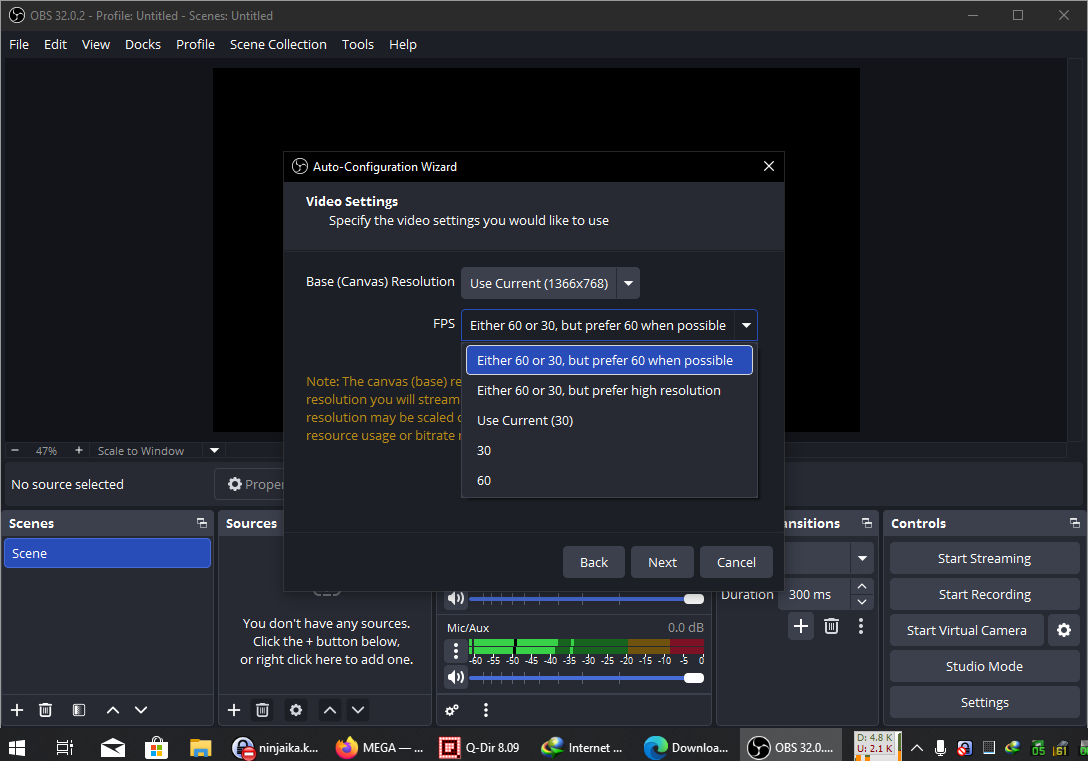
Its interface, coupled with the massive amounts of configuration options, might make first-time users feel overwhelmed or even intimidated. To make it easier to use, OBS Studio provides Auto Configuration Wizard that will help you set it up based on your preferences.
If the wizard doesn’t appear automatically when you run OBS Studio, you can launch it manually by clicking Tools > Auto Configuration Wizard.
After you choose whether you want it to be optimized for video recording or live streaming, and adjust a few other options displayed in the wizard, OBS Studio will perform a test and then use the result as a base to determine the best settings for your computer.
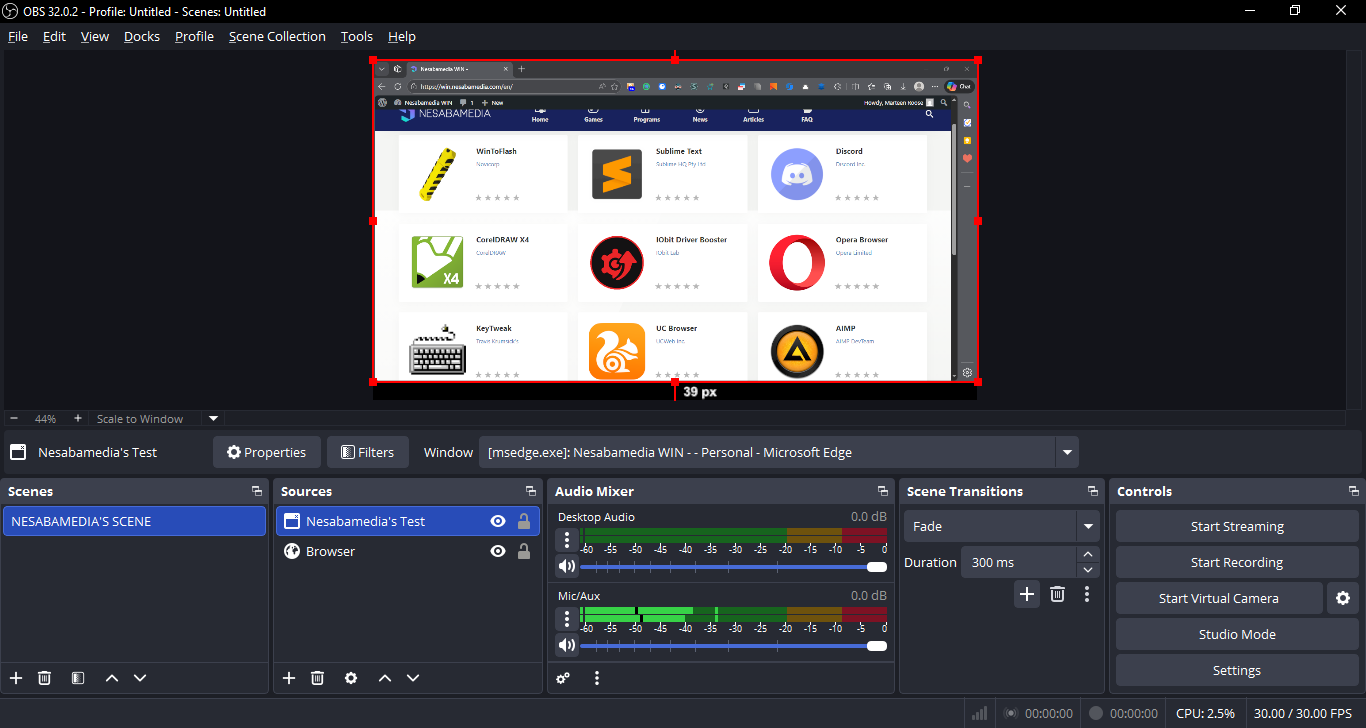
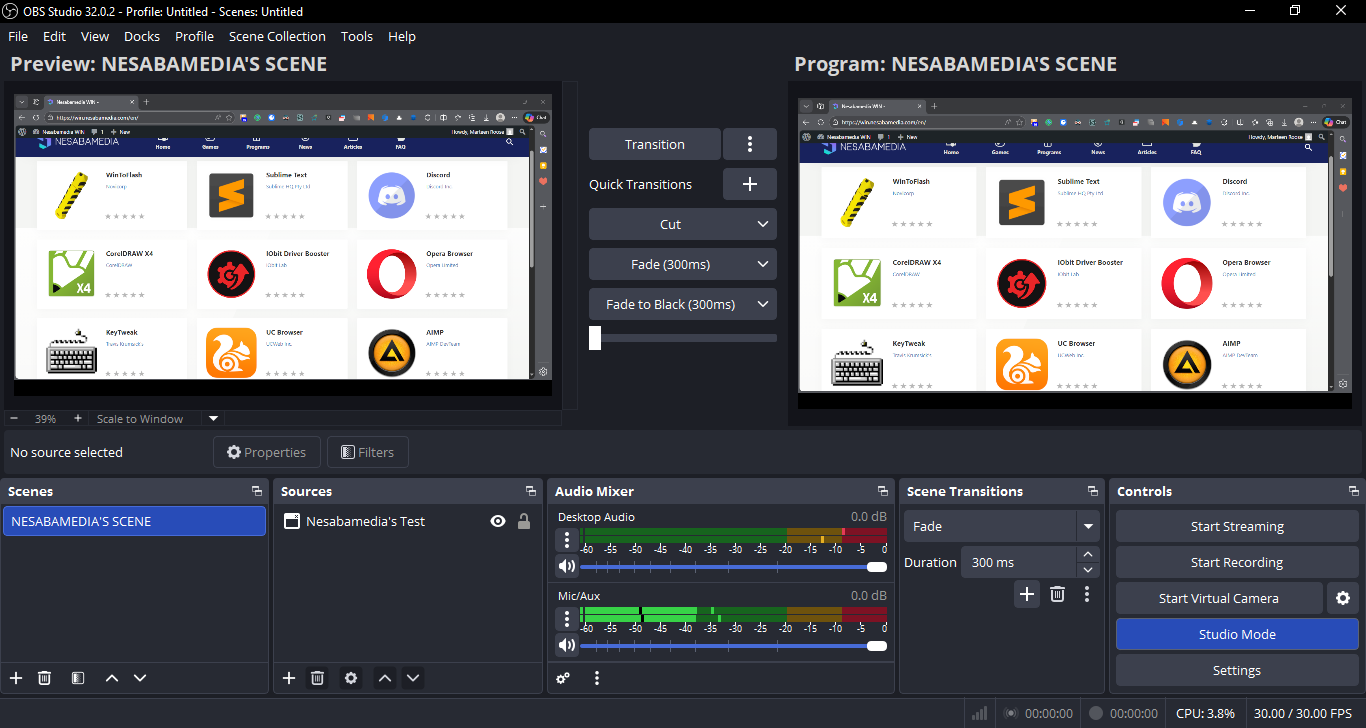
OBS Studio supports a variety of sources, such as Webcam, Display Capture, Image, Audio Input Capture, Window Capture, and Browser. You can see more of them by clicking the plus button located in the Sources section.
Scenes is a section which is as important as Sources. Every time you need to add a scene, click the plus button and, if necessary, give the scene a name. Each scene can contain one or multiple sources and can be reordered by drag and drop.
There are visual effects for scene transition: Fade, Cut, Slide, and Stinger. You can configure how long the transition lasts but only for Fade and Slide effects.
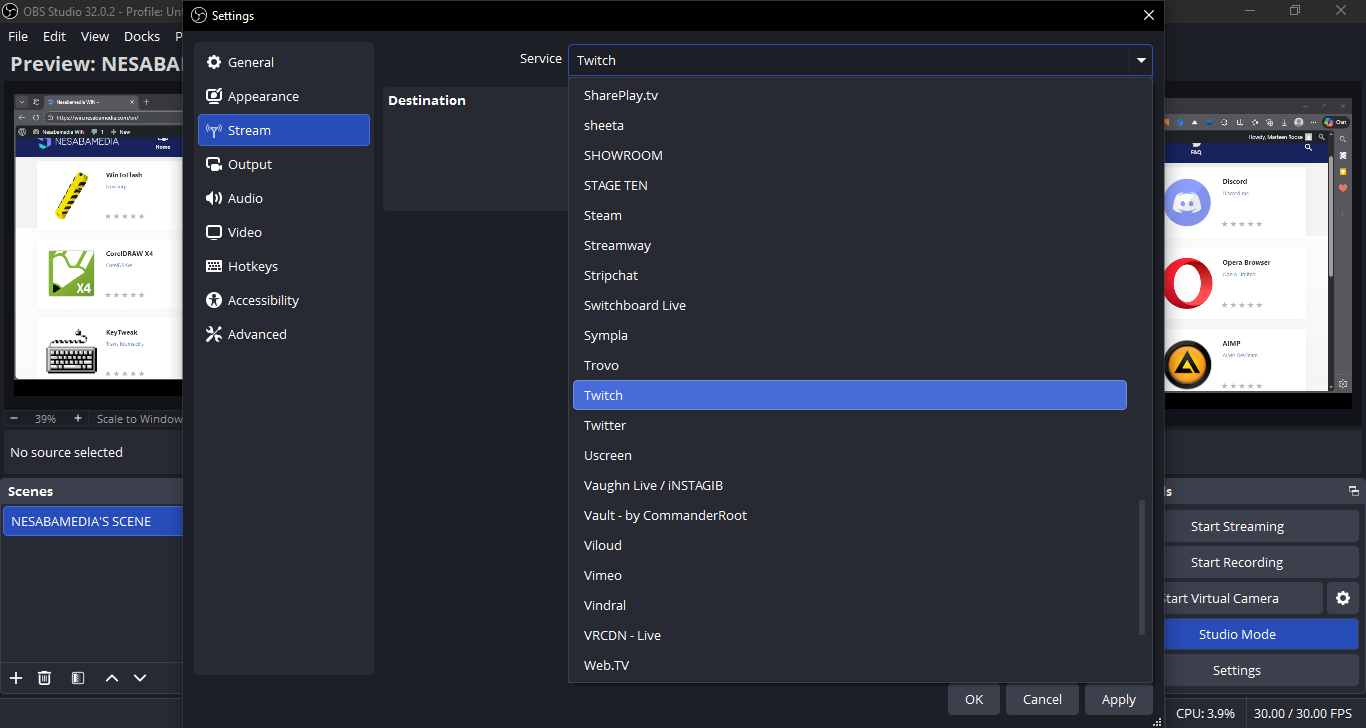
To start streaming with OBS Studio, you need to connect your streaming account with it, which can be done by heading over to Settings > Stream. A few sites are shown when you click the drop-down button of Service. More sites can be seen after you click Show All. If your streaming account doesn’t belong to any of the sites, you can add it by clicking the Custom option.
OBS Studio Free Download for Windows
Even though OBS Studio is a great option available for free, it is not that easy to learn how to use it. There is a documentation to help users but it leaves much to be desired. Users who have zero to little experience with this type of software will probably find it quite confusing if not frustrating.
Still, OBS Studio is one of the best you can have for live streaming and video recording, especially if you want to save money. If you have enough patience to get through all the trouble to know how things work, it could be your most powerful tool that it is hard to live without. You can click the link below to download OBS Studio for Windows:



- App Name OBS Studio
- License Freeware
- App Name OBS Studio
- Publisher OBS Studio Contributors
- Updated
- Version: 32.0.2
On our site you can easily download OBS Studio. All without registration and send SMS!