KeyTweak

- Windows: 7, 8, 10, 11
- Version: 2.3.0
- Size: 280.49 KB
-
[Total: 2 Average: 3.5]
After accidentally hitting your Caps Lock for who knows how many times, does it finally drive you crazy? KeyTweak can help you get rid of your frustration. It can remap those keys on your keyboard that you find too annoying to keep around.
After you remap a key, it will produce a different keystroke, which depends on your customization. You can remap Caps Lock to Shift, for example. While this is something you can do on your own by editing the registry, KeyTweak makes it easier and perhaps less intimidating.
Features and Highlights
It isn’t necessary to keep KeyTweak running in the background for it to work.
Also, the keys that you remap retains their new keystrokes even if KeyTweak is uninstalled, which can be considered as a plus. The downside is that when you need to restore those keys back to their default states for whatever reasons, you have to reinstall it if you don’t want to dive into the registry to make the changes.
Restoring the keys is easy, especially if you need to restore every tweak you have made with KeyTweak.
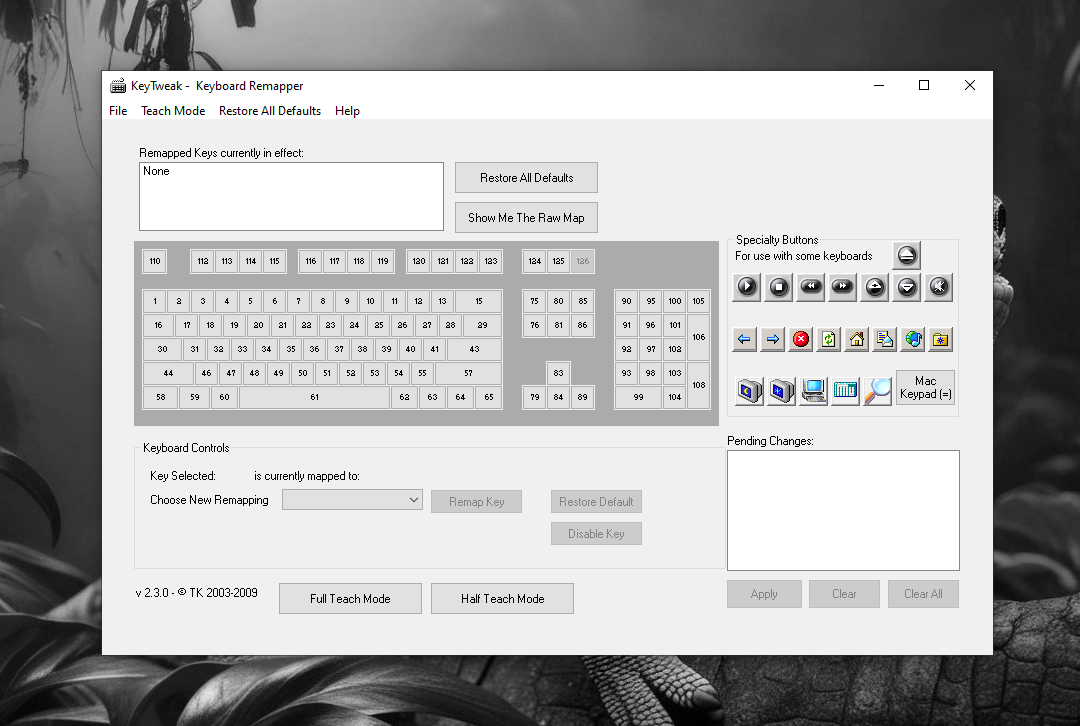
KeyTweak displays a virtual keyboard that assigns a number to every button. When you move the cursor over a key, a tooltip appears, showing you what the key is currently representing to prevent you from remapping the wrong key.
If you have used KeyTweak before to remap some keys, the next time you run it again, it shows you which keys that have been remapped.
KeyTweak displays a warning message if it detects a dangerous configuration that can potentially make you unable to log into the system properly. You can ignore this warning and apply the configuration no matter what at your own risk.
Not all keys can be remapped, unfortunately, like FN keys on most laptops and Pause/Break key.
The other downside of KeyTweak is that it cannot limit the remapping to specific user, application, and keyboard. Even if you replace your current keyboard, the remapping stays in effect, unless you buy a particular keyboard that has its own remapping.
Can KeyTweak combine keystrokes so that you can remap a single key to, for instance, Alt + F4? No. It cannot. It is one of its limitations.
It is possible, however, to remap a key to Mute, Volume Up, Volume Down, Stop, Play/Pause, and Next Track. So, if there is a key you rarely or never use, like Scroll Lock, you can remap it to Mute so that you can quickly silence your speaker when it suddenly screams at you, which probably happens because you come across a web page that plays a video automatically even though you don’t visit that page to watch any.
KeyTweak Free Download for Windows
If you’re not interested in remapping any key and just want to get rid of the annoying ones so they won’t get in your way when you’re typing, KeyTweak can disable those keys.
KeyTweak is undoubtedly very useful, but there is an annoying aspect of it that you should know. It requires a computer reboot after you remap the keys. You can click the link below to download KeyTweak for Windows:

- App Name KeyTweak
- License Freeware
- App Name KeyTweak
- Publisher Travis Krumsick’s
- Updated
- Version: 2.3.0
On our site you can easily download KeyTweak. All without registration and send SMS!