Fritzing

- Windows: 7, 8, 10, 11
- Version: 1.0.5
- Size: 42.92 MB
-
[Total: 1 Average: 5]
Distributed under an open source license, Fritzing is a design software for electronics circuits. You can think of it as a digital workspace where you can build circuits virtually on a breadboard like you would in real life, then assemble that same circuit using actual components.
It is especially popular with beginners because its intuitive visual approach makes it less intimidating to use than the alternatives. Its breadboard view is simply easy to work with, as parts snap into place and connections are clearly visible, which helps users to focus on learning basic electronics rather than struggling with the interface.
Features and Highlights
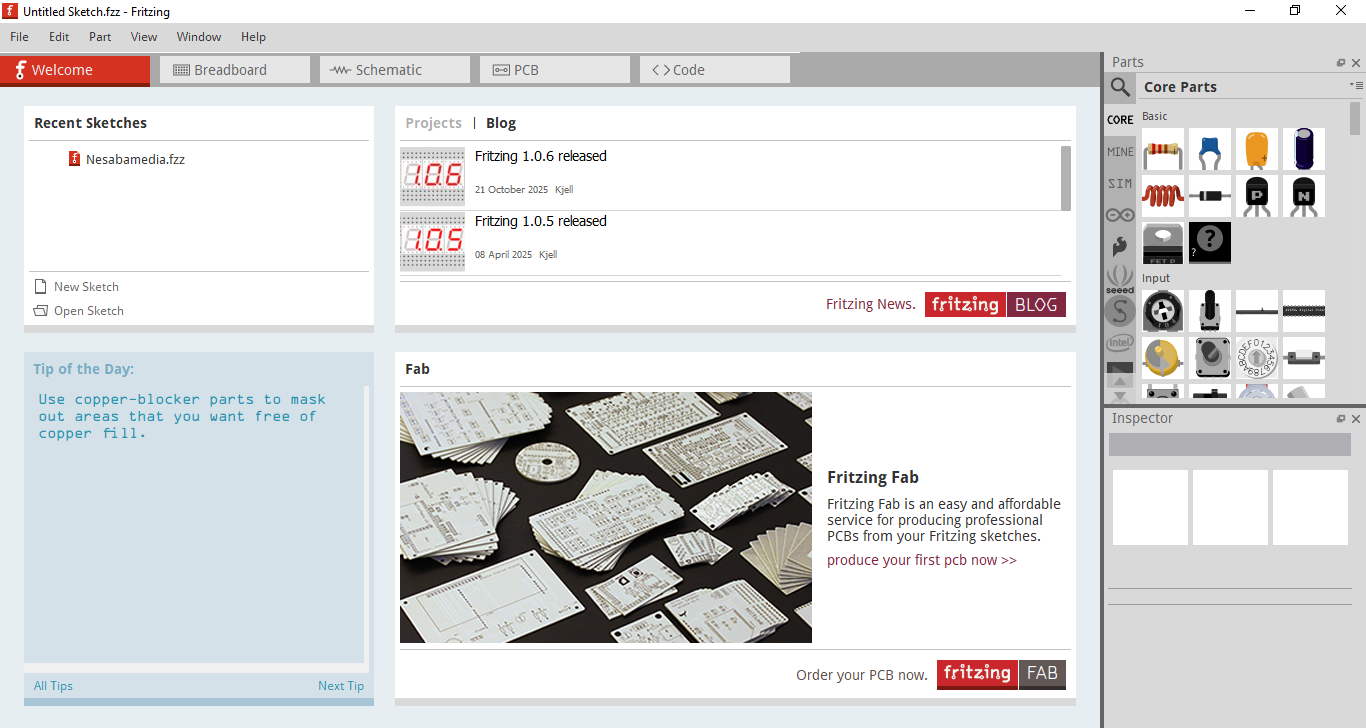
Fritzing’s user interface sports a modern look, with a mix of several colors that are nicely in harmony with each other. Split into two main panels, the Project View dominates the space. It is where you will build and edit your electronics circuit, and it is divided into five tabs, and the first one to open upon launch is the Welcome tab.
The tab is similar to that backstage view of Microsoft Office. It’s where you can find all your recent sketches, read the tip of the day, receive the latest news from the developer, and order your PCB. If you don’t find the tab useful enough to keep, you can hide it to streamline the interface more.
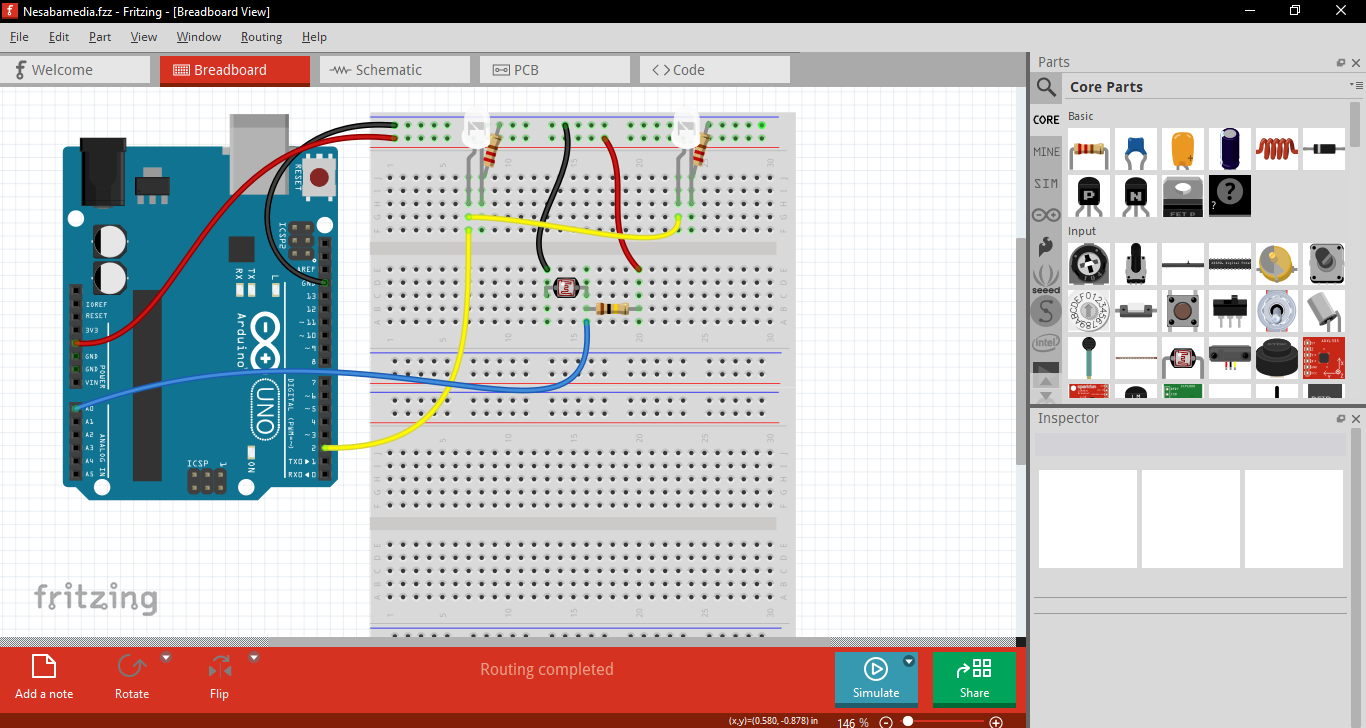
Next to the Welcome tab is the breadboard view, which shows a circuit laid out the way it would appear on a real breadboard. Components such as resistors, LEDs, integrated circuits, and wires are represented visually and can be placed by dragging them onto the workspace. Connections are made by drawing wires between component pins, matching how physical jumper wires would be used.
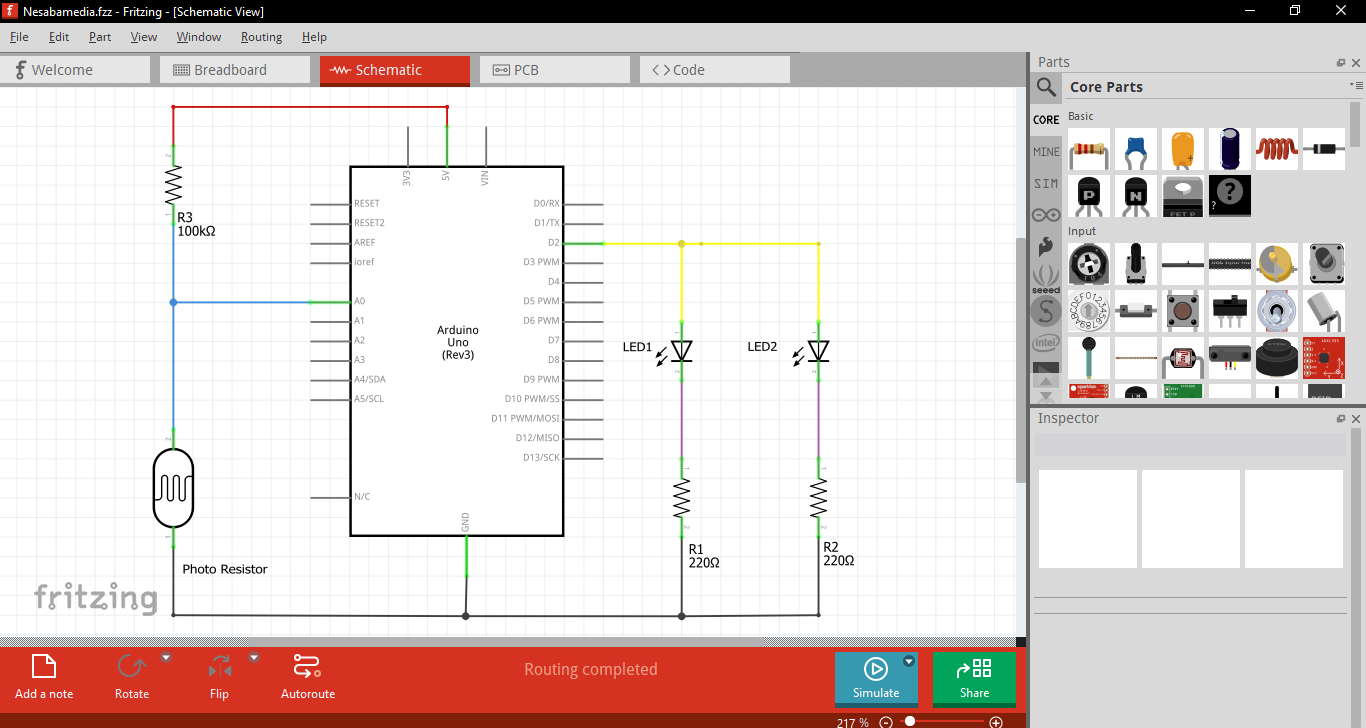
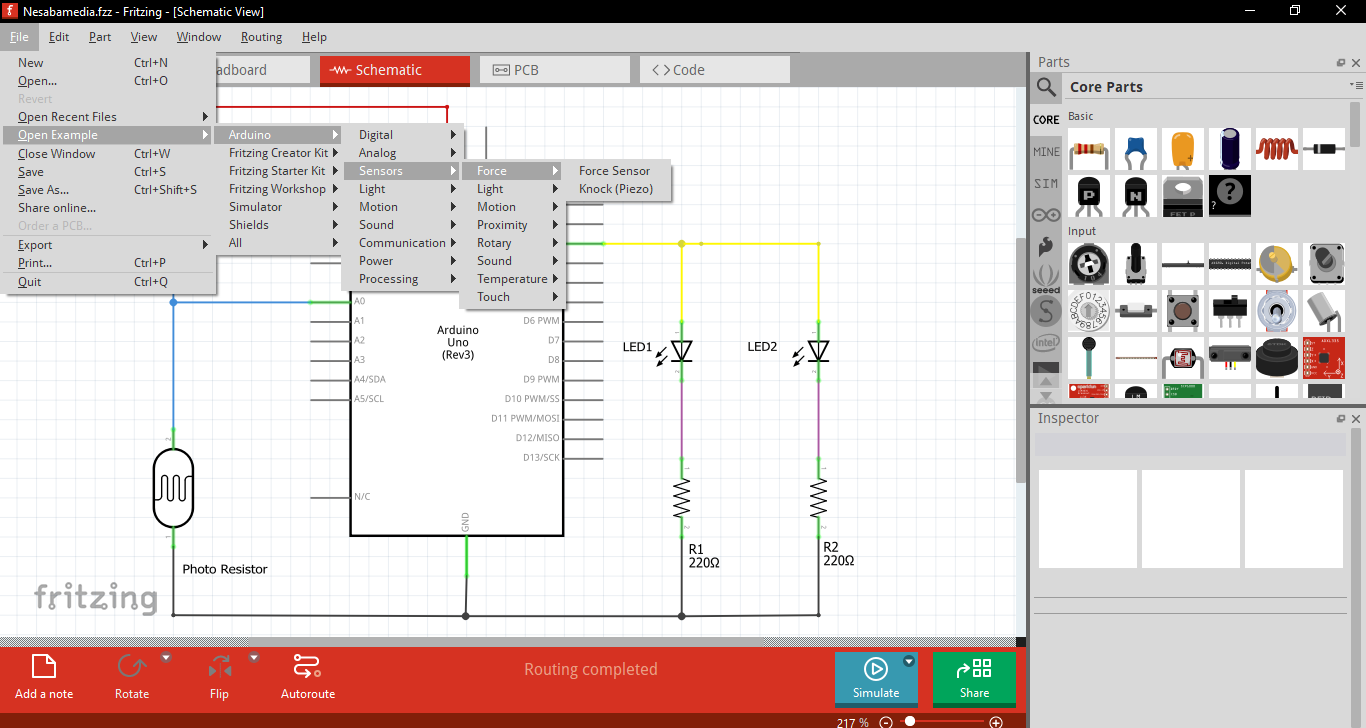
Unlike the breadboard view, the schematic presents the circuit using standard electronic symbols instead of realistic component images. Resistors, capacitors, integrated circuits, and other parts are shown in their conventional form, with lines representing electrical connections between them.
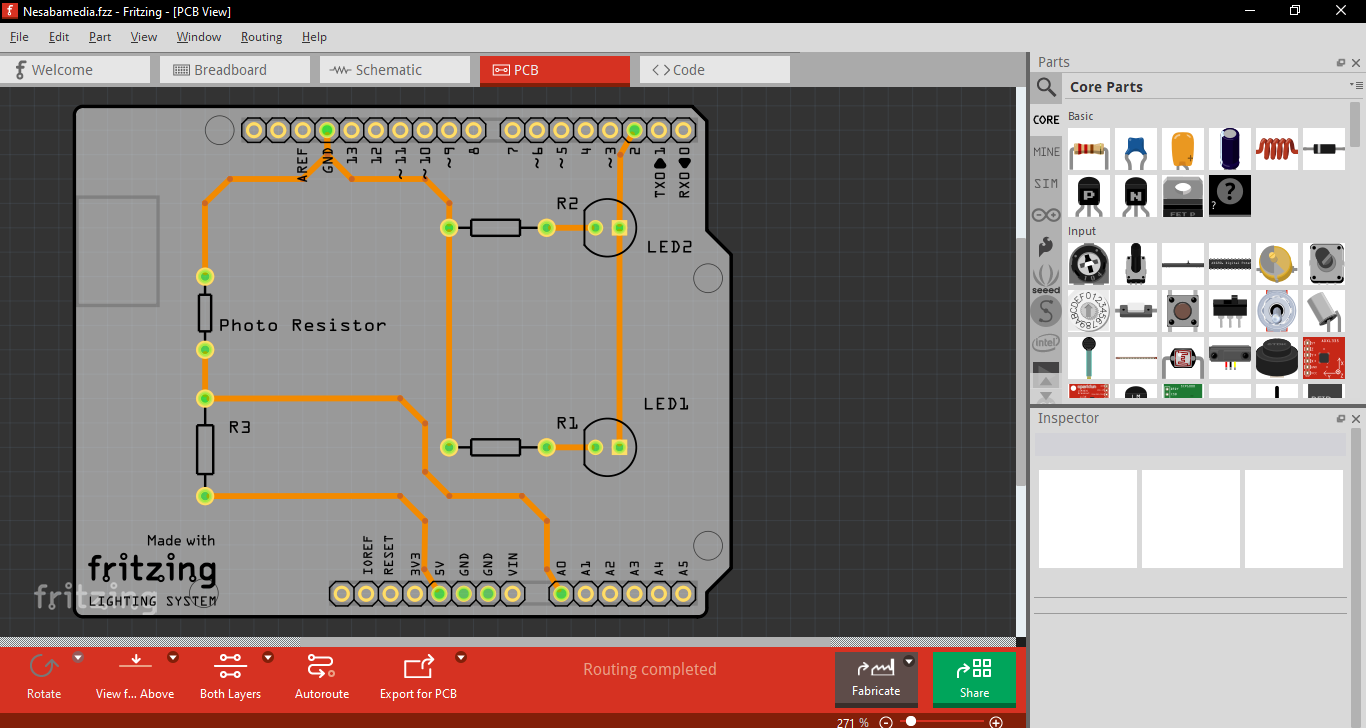
On the other hand, the PCB view shows how your circuit will look as a printed circuit board. All the components are placed on a flat board outline, and copper traces are routed between their pins to create the electrical connections. You can move parts around to optimize spacing, adjust their orientation, and manually route the traces that link them simply by means of dragging and dropping.
Fritzing Free Download for Windows
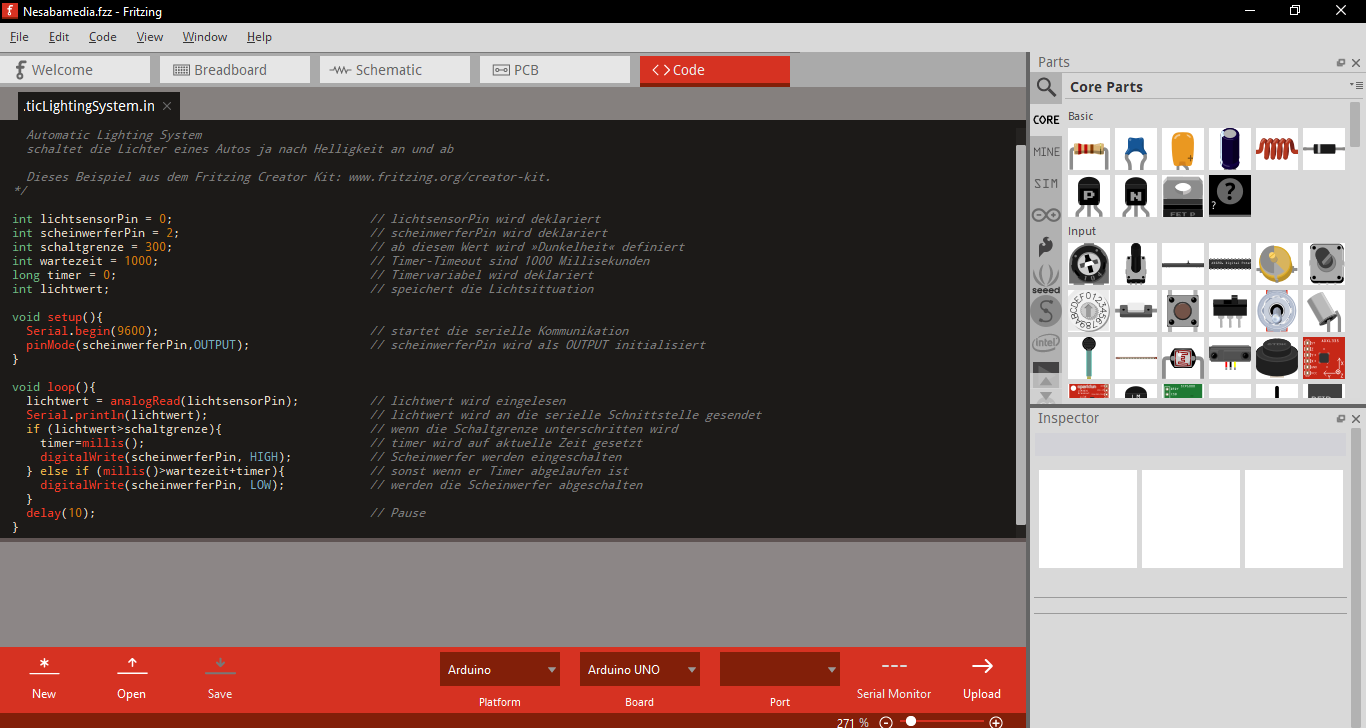
The last tab in Fritzing is the Code view. Added in version 0.9.1b around 2014, the view is mainly intended for Arduino-based projects. It’s basically a code editor that lets you write, compile, and upload microcontroller code from within the program. You might have to do some manual configuration for it to work as intended, however.
In addition to the visual approach in designing electronics circuits, Fritzing’s popularity also owes to the fact that it is an open source application, which gives another good reason especially for people who are privacy conscious to choose it instead of the alternatives. You can click the link below to download Fritzing for Windows:
- App Name Fritzing
- License Freeware
- App Name Fritzing
- Publisher Interaction Design Lab Potsdam
- Updated
- Version: 1.0.5
On our site you can easily download Fritzing. All without registration and send SMS!