FAT32 Format GUI
- Windows: 7, 8, 10, 11
- Version: 1.0.1
- Size: 76.00 KB
-
[Total: 1 Average: 5]
For users of modern Windows operating systems, formatting storage drives with the FAT32 file system often presents an unexpected obstacle. While Windows provides built-in formatting tools through File Explorer and Disk Management, these utilities impose an arbitrary and often frustrating limitation. That is, they refuse to format any partition larger than 32GB with the FAT32 file system.
This is where the FAT32 Format GUI, commonly known as GUIFormat, becomes an essential utility. Developed by RidgeCrop Consultants Ltd., this freeware serves as a graphical interface for the command-line FAT32format tool, effectively bypassing Windows’ built-in size limitations.
Features and Highlights
The built-in formatting tools in Windows have long been capped at 32GB for FAT32 partitions. It’s a restriction put in place nearly three decades ago and still present in the graphical interface of Windows 11. FAT32 Format GUI bypasses this entirely by allowing users to format drives up to a massive 2TB to the FAT32 file system. This capability is further extended on modern drives that utilize 4K sectors, where FAT32 Format GUI can reportedly support volumes up to 16TB.
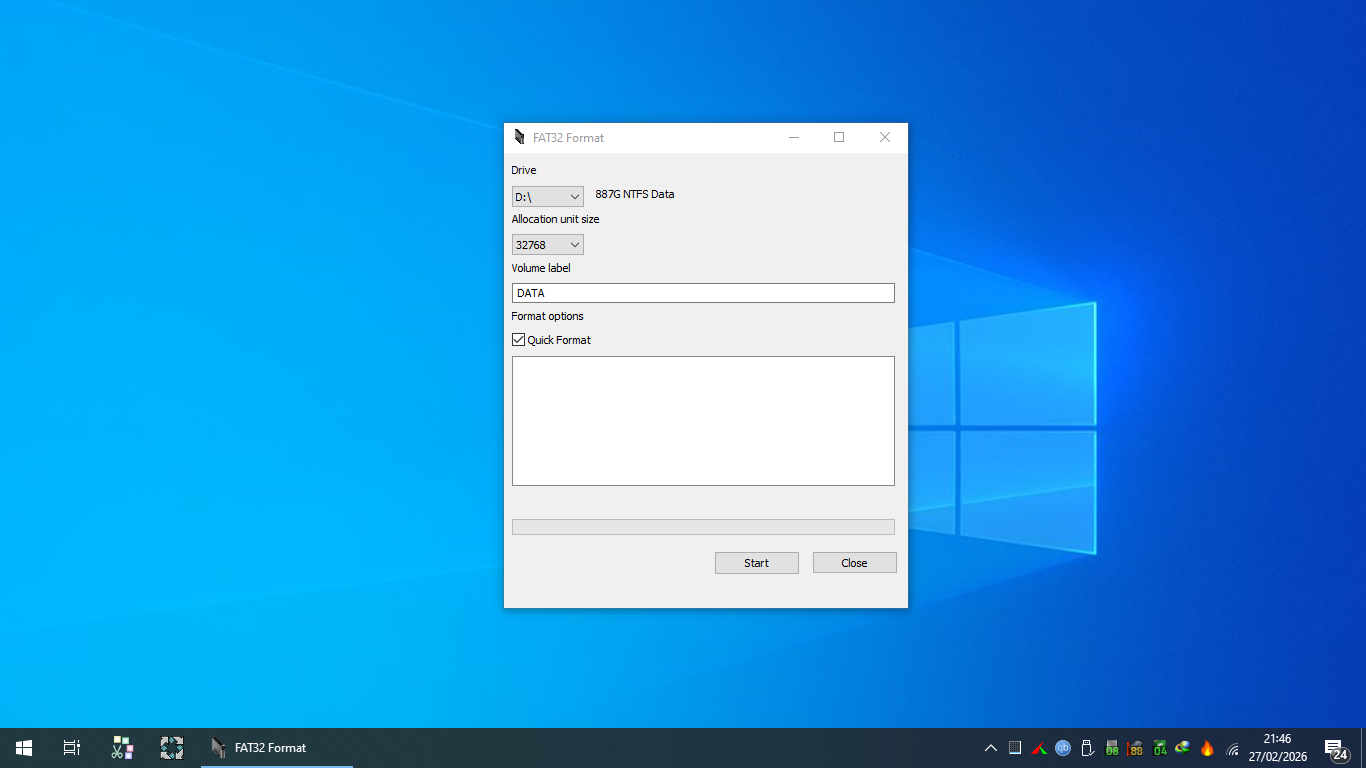
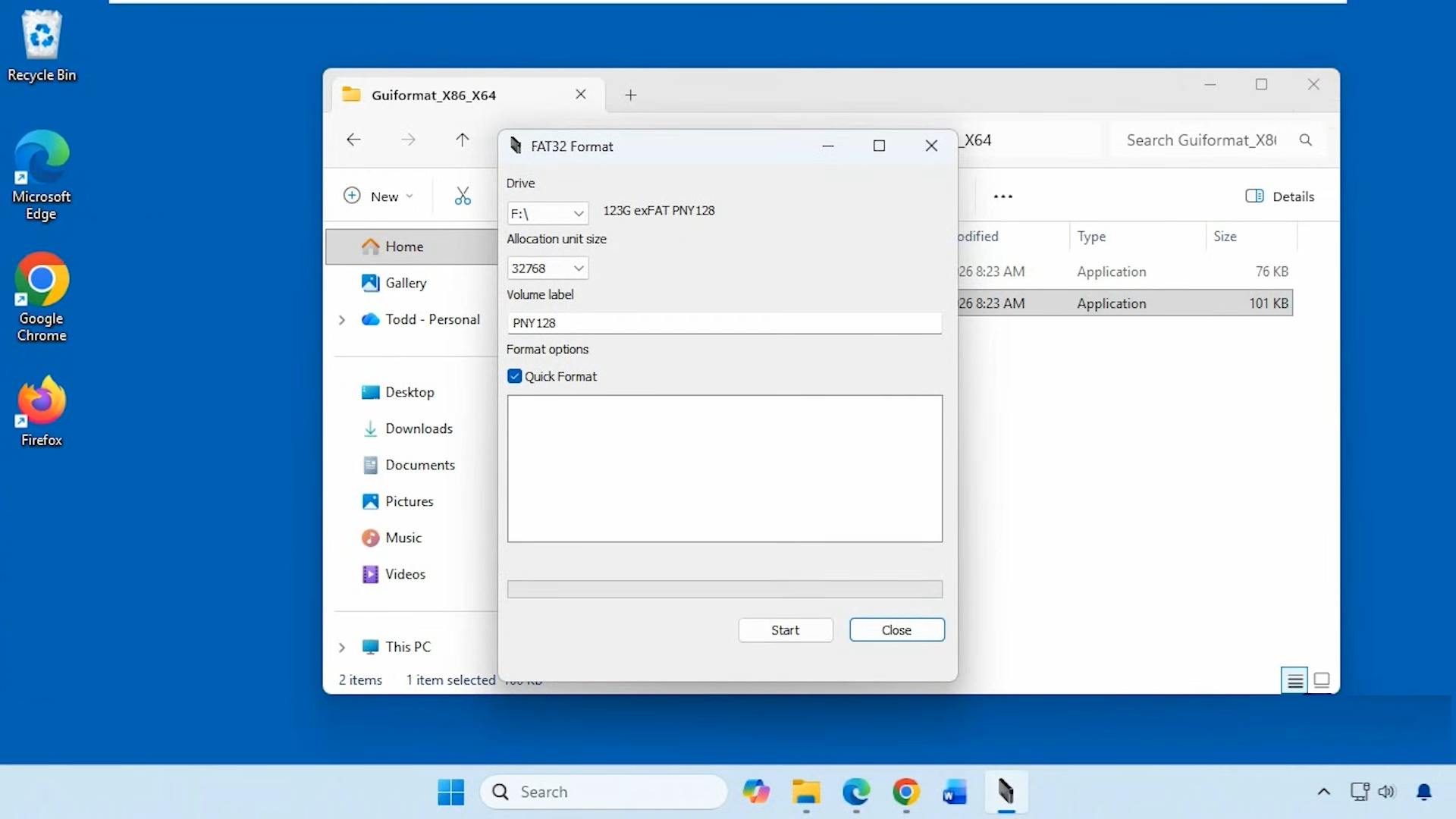
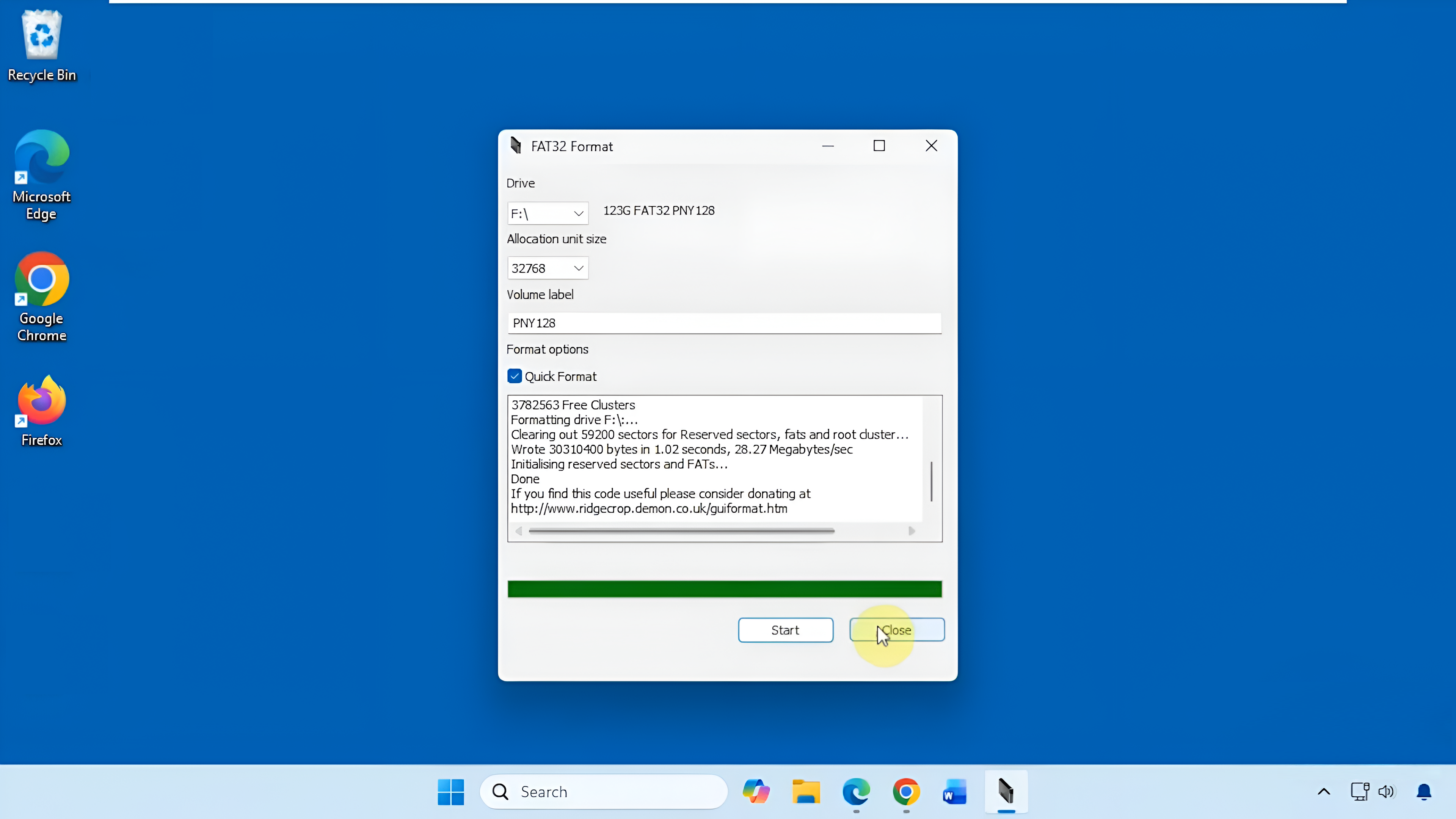
FAT32 Format GUI has a clean, straightforward set of options wrapped in a simple graphical interface with only two small buttons, a couple of drop-down menus, a field, and a toggle box. It’s almost like another version of the built-in formatting tool in Windows.
At the very top of its interface, a simple drop-down menu lets you select the target drive you want to format. Below that, you’ll find a field to assign a volume label if you wish to name the drive.
The “Allocation unit size” drop-down offers cluster size choices ranging from 512 bytes to 64KB, giving you flexibility depending on how you intend to use the drive. A checkbox for “Quick Format” is enabled by default, which allows you to format your drive in a very short amount of time rather than hours. If you uncheck the default selection, FAT32 Format GUI will format your drive using the full format mode.
It automatically detects and displays all removable and fixed drives connected to the system in a simple drop-down menu. As soon as you plugin a flash drive or an SD card, you’ll be able to find it in the Drive drop-down menu.
To start formatting your drive, hit the Start button. If you keep the Quick Format option checked, the formatting will be done in seconds.
Pros
Cons
FAT32 Format GUI Free Download for Windows
The free program is distributed as a single executable file that requires no installation, meaning it can be run directly from a USB drive or any folder on the system without leaving behind registry entries or configuration files. This makes it an ideal utility for technicians and everyday users who need a reliable formatting tool without having to deal with the hassle of installation.
Despite no longer being in development, it still works well on Windows, and its file size is merely in kilobytes. This tiny footprint means it loads instantly and consumes negligible system resources. You can click the link below to download FAT32 Format GUI for Windows:
This program is also available in
Similar to FAT32 Format GUI
- App Name FAT32 Format GUI
- License Freeware
- App Name FAT32 Format GUI
- Publisher Ridgecrop Consultants Ltd
- Updated
- Version: 1.0.1